Chapter: Web or internet Programming : Scripting Elements
HTML forms
Forms
HTML
forms are used to pass data to a server.
• A form
can contain input elements like text fields, checkboxes, radio-buttons, submit buttons
and more. A form can also contain select lists, textarea, fieldset, legend, and
label elements.
The
<form> tag is used to create an HTML form: <form>
.
input
elements
.
</form>
Input Element
• The input
element is used to select user information. An input element can vary in many
ways, depending on the type attribute.
• An input
element can be of type text field, checkbox, password, radio button, submit
button, and more.
Text Fields
<input
type="text" /> defines a one-line input field that a user can
enter text into:
<form>
First
name: <input type="text" name="firstname" /><br
/> Last name: <input type="text" name="lastname"
/> </form>
The HTML
code above looks in a browser:
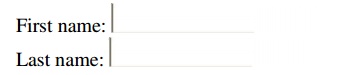
Note: The
default width of a text field is 20 characters.
Password Field
<input
type="password" /> defines a password field:
<form>
Password:
<input type="password" name="pwd" /> </form>
The HTML
code above looks in a browser:

Note: The
characters in a password field are masked (shown as asterisks or circles).
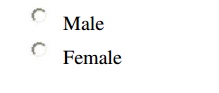
Radio Buttons
<input
type="radio" /> defines a radio button. Radio buttons let a user
select ONLY ONE of a limited number of choices:
<form>
<input
type="radio" name="sex" value="male" /> Male<br
/> <input type="radio" name="sex"
value="female" /> Female </form>
The HTML
code above looks in a browser:
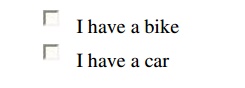
Checkboxes
<input
type="checkbox" /> defines a checkbox. Checkboxes let a user
select ONE or MORE options of a limited number of choices.
<form>
<input
type="checkbox" name="vehicle" value="Bike" />
I have a bike<br />
<input
type="checkbox" name="vehicle" value="Car" />
I have a car
</form>
The HTML
code above looks in a browser:
Submit Button
<input
type="submit" /> defines a submit button. A submit button is used
to send form data to a server. The data is sent to the page specified in the
form's action attribute. The file defined in the action attribute usually does
something with the received input:
<form
name="input" action="html_form_action.asp"
method="get"> Username: <input type="text"
name="user" />
<input
type="submit" value="Submit" /> </form>
How the
HTML code above looks in a browser:

Related Topics